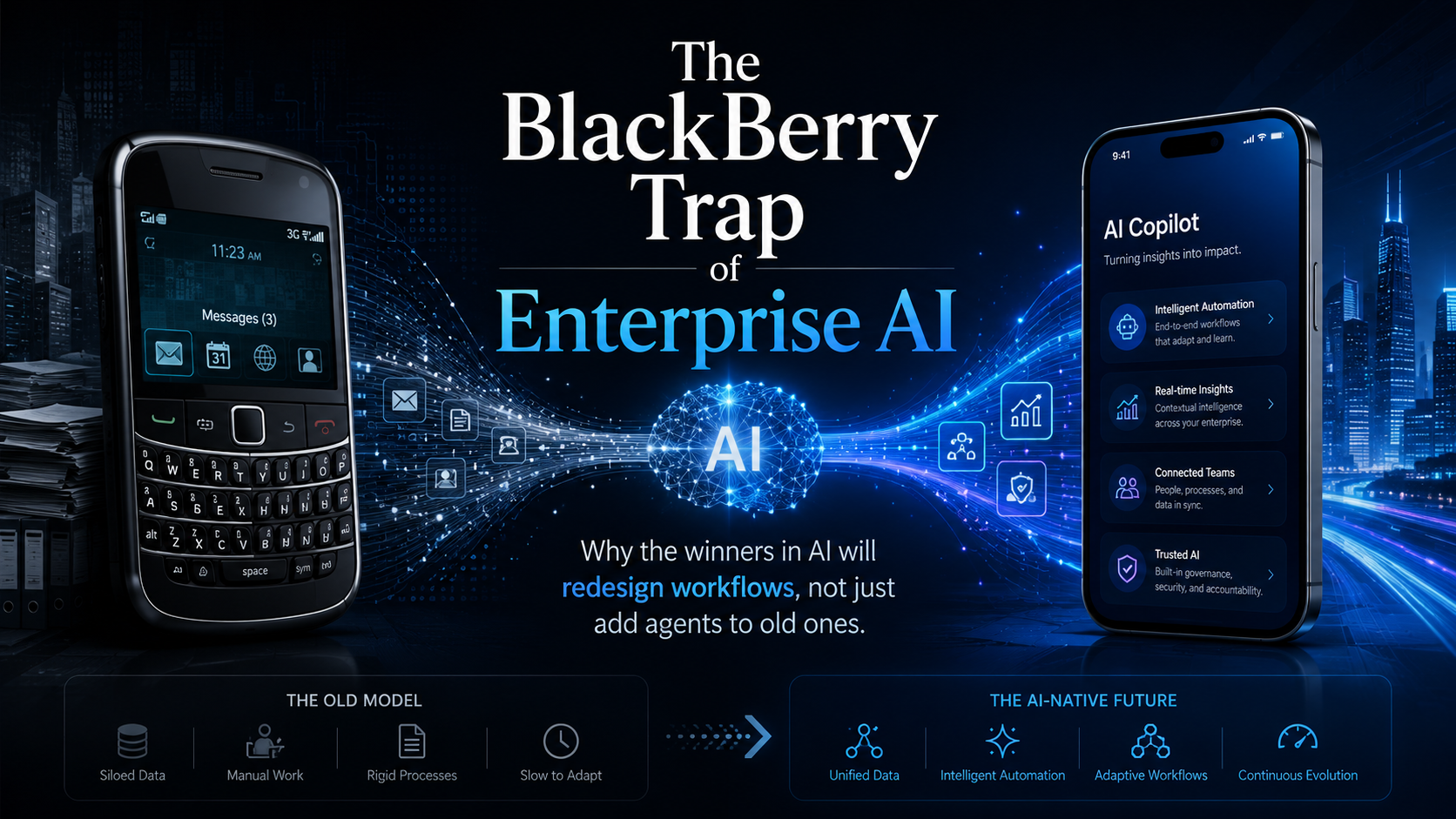
The biggest AI mistake may not be choosing the wrong model. It may be using the right model to preserve the wrong workflow.
That is the BlackBerry trap.
BlackBerry did not fail because it lacked smart engineers. It failed because it kept optimizing the thing that had already made it successful. For years, BlackBerry was the symbol of serious mobile work. If you were a business executive, banker, consultant, government official, or enterprise road warrior, the BlackBerry was not just a phone. It was the work device. It had secure email, reliable messaging, strong battery life, enterprise controls, and the physical keyboard that made mobile productivity feel real.
Those were not bad product decisions. They were excellent decisions for the era BlackBerry helped define. Then the iPhone changed the category.
When Apple introduced the iPhone in 2007, many incumbents saw it as incomplete. It was expensive, lacked a physical keyboard, did not look like an enterprise device, and did not fit the assumptions that had made BlackBerry successful. BlackBerry executives, then still operating as Research in Motion, initially chose to let Apple focus on the general consumer market while BlackBerry continued serving business and government customers (Vara, 2013).
That is exactly why the iPhone was dangerous. It was not trying to be a better BlackBerry. It changed the question from “What is the best mobile email device?” to “What should a mobile computer become?”
A successful company can become deeply skilled at improving the current category. It listens to its best customers, strengthens its existing differentiators, and keeps improving the keyboard, battery, messaging, security, and management controls. Meanwhile, the category changes underneath it.
Enterprise AI is at risk of making the same mistake. Many organizations are asking how AI can make current processes faster. That is useful, but it may also be the better-keyboard question. The more important question is whether some workflows should still exist in their current form if AI agents, governed execution, and automated evidence gathering are now possible.
The real BlackBerry lesson
The BlackBerry story is often simplified into “Apple innovated and BlackBerry did not.” That is too shallow. BlackBerry did innovate. It had strong engineering, enterprise trust, loyal customers, and a product that solved a real problem extremely well.
The real failure was strategic interpretation.
BlackBerry interpreted the iPhone through the lens of its current market. The company was still focused on business and government buyers while Apple was reshaping expectations for everyday users. But those everyday users also worked inside companies. As consumer technology improved, employees started expecting workplace tools to feel as good as the tools they used at home.
That was the deeper shift: the consumerization of enterprise technology. Vara (2013) describes how BlackBerry users adopted iPhones personally and then wanted to use them at work, while companies also saw benefits in letting employees choose their own devices.
The buyer changed, the user changed, the experience standard changed, and the platform changed. BlackBerry had optimized for the old system of value. Apple built toward the new one.
This is why the App Store mattered so much. The iPhone was not only a device; it became a platform. Apple opened the App Store in July 2008 with 500 apps, and within a decade the iPhone had more than 2 million apps available (Axios, 2018). Wired similarly described the App Store as the factor that turned the iPhone into a pocket-sized computer, beyond the device design itself (Alba, 2017).
That is the difference between a product and an ecosystem. BlackBerry built excellent work devices. Apple helped create a mobile computing platform.
The engineering lesson: features are not the system
There is also a deeper engineering lesson. The iPhone’s advantage was not just that it had a touchscreen. Other companies could build touchscreens, and some had interesting hardware ideas. BlackBerry’s Storm, for example, attempted to respond with a clickable touchscreen that tried to preserve some of the feel of a physical keyboard. But the overall experience did not come together.
A feature can be technically interesting and still fail if the system around it is weak.
Wired’s review of the BlackBerry Storm acknowledged interesting hardware ideas, including the clickable screen, but criticized the device for lag, weak software, lack of Wi-Fi, and an overall experience that did not match the iPhone (Dumas, 2008). In a separate analysis of touchscreens, Wired argued that a good touchscreen experience requires more than similar hardware components; it requires integration across software, firmware, calibration, user interface design, and product commitment (Ganapati, 2010).
The product was not judged by whether the hardware spec sheet looked impressive. It was judged by how the whole experience felt.
Enterprise AI has the same issue. A company can have a frontier model, a polished chatbot, a vector database, prompt templates, retrieval, plug-ins, and a few agents — and still not have a useful AI system. The pieces may exist, while the workflow remains broken.
The better-keyboard phase of AI
Some enterprise AI programs are currently in the better-keyboard phase. A developer writes code, and AI helps write code faster. An analyst reviews alerts, and AI summarizes the alerts. A project manager prepares status updates, and AI drafts the update. A compliance team gathers evidence, and AI formats the evidence. A support team answers tickets, and AI suggests responses.
These are useful improvements. They save time, reduce friction, and create adoption. But they do not fundamentally change the operating model. They make the existing process faster without asking whether the existing process is still the right one.
In the same way BlackBerry kept improving the mobile email experience while Apple redefined the phone, many enterprises are improving existing workflows while AI-native competitors will redesign the workflow itself. The real AI strategy question is not simply, “Where can we insert AI into the process?” It is, “Which processes should be rebuilt because AI now changes what is possible?”
Use Case - Incident triage: the difference between AI assistance and workflow redesign
Incident triage is a good example because it is messy, urgent, cross-functional, and evidence-heavy.
In many organizations, the current incident workflow follows a familiar pattern. An alert fires, an engineer joins a bridge, someone checks logs, someone else checks dashboards, and another person looks at recent deployments. A manager asks for status. A subject matter expert joins late. The team searches old incidents, posts updates in chat, opens or updates a ticket, and later reconstructs the timeline manually.
AI can help this workflow without changing it. An agent can summarize logs, draft bridge updates, generate a post-incident report, suggest possible root causes, and search runbooks. That is useful, but it is still the better-keyboard version of incident management. The workflow is mostly the same. Humans still manually gather context, coordinate across tools, interpret evidence, decide next actions, and reconstruct the story afterward.
A redesigned AI-native incident workflow looks different. When the alert fires, an incident agent starts a bounded triage workflow. It collects relevant logs, metrics, traces, recent deployments, feature-flag changes, dependency health, prior similar incidents, and runbook steps. It builds an initial incident timeline, identifies what changed recently, separates symptoms from likely causes, highlights uncertainty, recommends the next diagnostic step, and prepares a human-readable incident brief.
As the incident unfolds, the agent keeps the timeline current and suggests escalation only when the evidence crosses a threshold. It does not restart services, replay batches, disable controls, or change production state unless the action is authorized by policy and approved through the right control path.
That is not just AI assistance. That is governed execution.
The human incident lead is still accountable, but the human is no longer manually carrying every step of evidence gathering, context stitching, status drafting, and timeline reconstruction. The agent is not replacing judgment. It is reducing the cost of getting to judgment.
That is where enterprise AI becomes powerful: not when it writes a better summary at the end of the incident, but when it changes how the incident is understood while it is happening.
Agents are not the strategy
It is tempting to say the answer is agents. But agents are not the strategy. Agents are one implementation pattern. The strategy is bounded delegation.
Anthropic makes a useful distinction between workflows and agents: workflows follow predefined code paths, while agents dynamically direct their own process and tool use (Anthropic, 2024). That distinction is important because the goal is not to make every process autonomous. The goal is to decide when a predictable workflow is enough and when more flexible agent behavior is justified.
A poorly designed agent is just a faster way to produce uncontrolled work. A well-designed agent operates inside a system of authority, context, tools, memory, validation, escalation, and auditability. The goal is not to make everything autonomous; it is to decide where autonomy creates leverage and where predictability, control, and human judgment still matter.
A serious enterprise AI workflow should answer practical governance questions: Who owns the decision? What can the agent do without approval? What requires human review? What evidence must be produced? What happens when confidence is low? What happens when the task touches production, money, customers, compliance, or security? What gets logged, replayed, audited, or rolled back?
This is where AI becomes an engineering leadership problem, not just a tooling decision.
From copilot to governed execution
The first wave of enterprise AI was assistance. The next wave is governed execution.
Assistance means the human does the work and AI helps. Governed execution means AI owns a bounded part of the workflow while humans define authority, risk, review, and accountability.
In incident triage, the difference looks like this:
| Current workflow | AI-assisted workflow | AI-native workflow |
|---|---|---|
| Human checks logs | AI summarizes logs | Agent correlates logs, metrics, traces, deployments, and prior incidents |
| Human asks who changed what | AI searches recent changes | Agent builds a change-impact timeline |
| Human posts status updates | AI drafts updates | Agent maintains a live incident brief with evidence and uncertainty |
| Human searches runbooks | AI retrieves runbooks | Agent maps symptoms to runbook candidates and validates preconditions |
| Human reconstructs timeline later | AI drafts postmortem | Agent preserves the timeline as the incident unfolds |
| Human decides every next step | AI recommends actions | Agent routes actions through risk-based control paths |
The point is not to remove humans. The point is to preserve human judgment for the moments where judgment actually matters.
Reading logs is observational. Restarting a production service is operational. Replaying a batch may affect customers, reconciliation, downstream systems, or audit records. Updating an incident timeline is low risk. Closing an incident is an accountability decision. A mature AI workflow knows the difference.
The new unit of engineering is the workflow
Traditional software engineering often treats the application as the main unit of design. Agentic engineering shifts the unit of design toward the workflow.
That workflow includes user intent, context gathering, model selection, tool access, memory retrieval, intermediate validation, human escalation, final action, evidence generation, auditability, and recovery. This is why long-horizon agent reliability is not just a model problem. It is a workflow architecture problem. Anthropic notes that agents can operate over many turns, call tools, modify state, and adapt based on intermediate results; those same capabilities also make them harder to evaluate (Grace et al., 2026).
Agents fail when they lose context, compound mistakes, skip verification, over-trust weak signals, or produce outputs that look complete but cannot be audited. In a regulated enterprise, that is not good enough. A production-ready AI system should not only answer the question. It should show how the answer was produced, what evidence supports it, what assumptions were made, what actions were taken, and where human judgment is still required.
The Better Keyboard to iPhone Curve
A simple way to think about this transition is through five levels.
Level 1: Assistance
AI helps a human complete a task, such as drafting emails, summarizing documents, explaining code, or generating first-pass notes. This level is useful, but the human still owns almost all of the work.
Level 2: Acceleration
AI speeds up an existing workflow, such as generating unit tests, writing release notes, summarizing incident logs, or preparing meeting updates. The process is still mostly the same. AI reduces effort. This is where many organizations stop, and it is also where the BlackBerry trap begins.
Level 3: Bounded Delegation
AI owns a scoped part of the workflow. For incident triage, that may mean the agent gathers evidence, builds a timeline, compares similar incidents, and prepares a diagnostic brief. The human still owns judgment, but AI owns a meaningful work package.
Level 4: Governed Execution
AI operates inside a managed execution environment. Tasks are routed by risk, tools are exposed based on policy, actions are validated before side effects, and evidence is generated automatically. Humans review exceptions instead of manually supervising every step. This is where AI becomes part of the operating model.
Level 5: Workflow Redesign
The organization redesigns work around AI-native capabilities. Incident triage starts with an agent-generated evidence brief. Compliance evidence is collected continuously instead of manually assembled. Architecture reviews are supported by living decision memory. Release readiness is assessed through automated evidence packs. Developer onboarding is personalized through project-aware agents.
This is the iPhone moment: not because the technology is flashy, but because the category changes.
What leaders should do now
The leadership impulse is to treat AI adoption as a tooling rollout: buy the tool, train the teams, measure usage, and report productivity. That is necessary, but not sufficient.
Usage is not transformation. A team can use AI every day and still preserve the wrong workflow.
The better leadership move is to identify which workflows should be redesigned. Start with workflows that have high coordination cost, repeated context gathering, evidence needs, and clear verification paths. Good candidates include incident triage, release readiness, compliance evidence, architecture review, test-gap analysis, dependency impact assessment, legacy modernization, developer onboarding, and production support handoffs.
These are not just tasks. They are workflows with memory, context, risk, and accountability. That is where agents become useful.
The leadership questions
For every candidate workflow, leaders should ask: What is the current human workflow? Where do people wait for context? Where do handoffs create delay? Where do teams repeat the same analysis? Where is evidence manually assembled? Where do errors become expensive?
They should also ask where AI can safely gather, compare, draft, test, or verify; where human judgment must remain explicit; what needs to be logged, replayed, or audited; what the rollback path is; and what the system should never be allowed to do.
These questions move the organization away from AI theater and toward AI systems engineering. The goal is not to automate everything. The goal is to redesign work responsibly.
The BlackBerry lesson for AI
BlackBerry’s mistake was not that it failed to improve. It improved the wrong thing for too long.
That is the risk for enterprise AI. A company can deploy copilots everywhere, generate thousands of summaries, automate status reports, and still miss the deeper shift. The deeper shift is from AI as a helper to AI as a governed execution layer.
The winners will not simply ask how to make today’s process faster. They will ask whether today’s process should exist in its current form.
BlackBerry tried to build a better keyboard. Apple changed what a phone was.
The enterprise AI version of that lesson is simple: do not use AI only to optimize the old workflow. Use AI to discover the workflow that should replace it.
Because in the end, adoption dashboards may show activity. Operating-model change is what creates advantage.
References
Alba, D. (2017, January 9). The iPhone remade Apple 10 years ago. Now it’s slowing Apple down. Wired. https://www.wired.com/2017/01/iphone-remade-apple-10-years-ago-now-slowing-apple/
Anthropic. (2024, December 19). Building effective agents. Anthropic. https://www.anthropic.com/engineering/building-effective-agents
Axios. (2018, July 10). Apple’s App Store is 10 years old. Axios. https://www.axios.com/2018/07/10/apple-app-store-is-10-years-old-iphone
Dumas, D. (2008, November 20). Review: RIM BlackBerry Storm. Wired. https://www.wired.com/2008/11/blackberry-storm/
Ganapati, P. (2010, March 4). Finger fail: Why most touchscreens miss the point. Wired. https://www.wired.com/2010/03/touchscreens-smartphones/
Grace, M., Hadfield, J., Olivares, R., & De Jonghe, J. (2026, January 9). Demystifying evals for AI agents. Anthropic. https://www.anthropic.com/engineering/demystifying-evals-for-ai-agents
Vara, V. (2013, August 12). How BlackBerry fell. The New Yorker. https://www.newyorker.com/tech/annals-of-technology/how-blackberry-fell